
Paper Submission
The paper submission deadline has been extended. New deadline for paper submission is April 20th 2026.
Please check the updated calendar here
Submission Instructions
The first step is logging in, if not already, to the Authors Area Platform (Indico) with an account that is a contributor in a submitted abstract (submitter, author, co-author by pressing the “Access” button in the Account Area page ).
Navigate to the event within the platform: https://indico.bsun.org/e/ecos2026
Navigate to the Paper Peer Reviewing page:
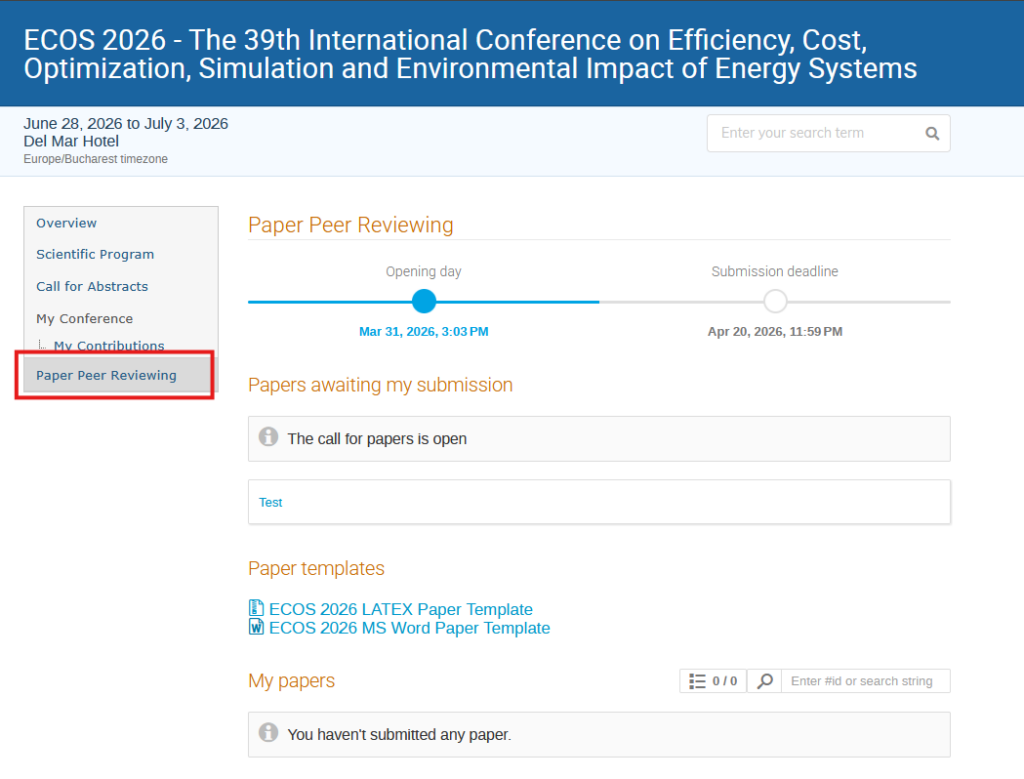
On this page paper templates can be downloaded from the respective section.
Papers can be submitted by going to the respective contribution under “Papers awaiting my submission“, in this image it has the title “Test”. Already submitted papers will appear under the “My papers” section.
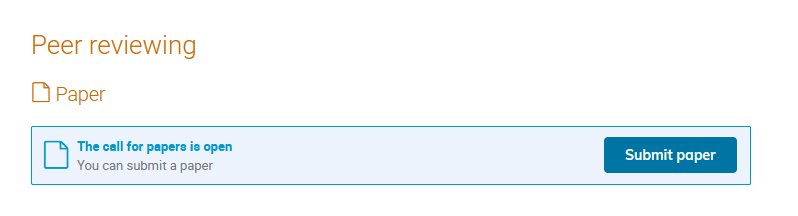
At the bottom of the Contribution’s page there will be a section called “Peer reviewing” where a “Submit paper” button will be available.
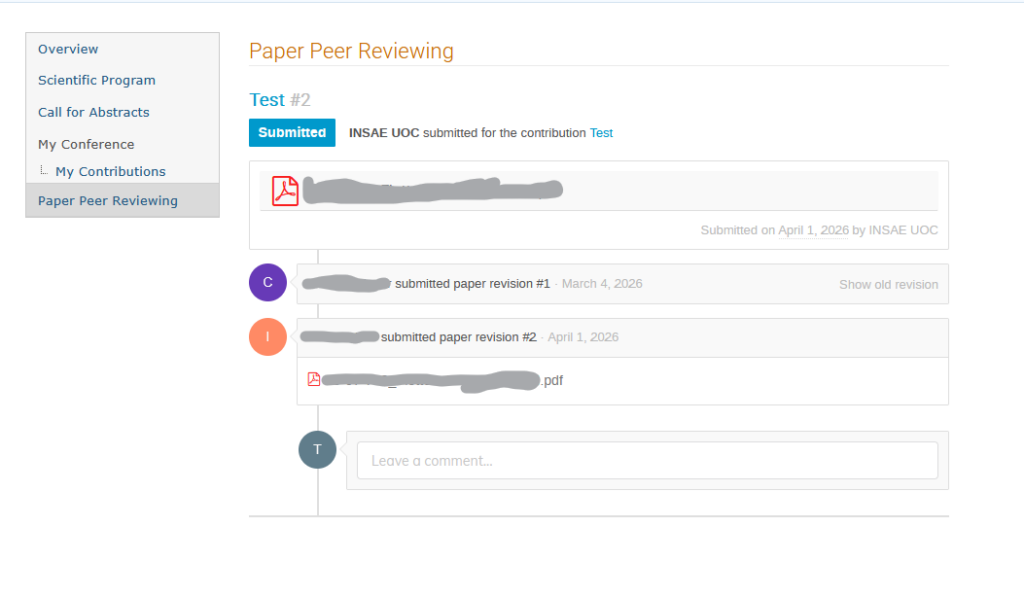
Once a paper is uploaded, a timeline page will be available where results like requests for revisions and comments can be seen as well as having the possibility of leaving comments for reviewers.